Maven dependencies for a basic JSF project
With some search and experiments, I figured out the following maven dependencies for a basic JSF project. These dependencies also allow autocompletion of JSF tags in the IDEs like eclipse and intellij idea. I post this for my own reference and may be someone searching for it.
<project xmlns="http://maven.apache.org/POM/4.0.0" xmlns:xsi="http://www.w3.org/2001/XMLSchema-instance"
xsi:schemaLocation="http://maven.apache.org/POM/4.0.0 http://maven.apache.org/maven-v4_0_0.xsd">
<modelVersion>4.0.0</modelVersion>
<groupId>com.hardik.jsfinaction</groupId>
<artifactId>HelloJsf</artifactId>
<packaging>war</packaging>
<version>1.0</version>
<name>HelloJsf Maven Webapp</name>
<url>http://maven.apache.org</url>
<dependencies>
<dependency>
<groupId>junit</groupId>
<artifactId>junit</artifactId>
<version>4.0</version>
<scope>test</scope>
</dependency>
<dependency>
<groupId>jstl</groupId>
<artifactId>jstl</artifactId>
<version>1.1.2</version>
<scope>compile</scope>
</dependency>
<dependency>
<groupId>javax.faces</groupId>
<artifactId>jsf-api</artifactId>
<version>1.2_02</version>
<scope>compile</scope>
</dependency>
<dependency>
<groupId>javax.faces</groupId>
<artifactId>jsf-impl</artifactId>
<version>1.2-b19</version>
<scope>compile</scope>
</dependency>
<dependency>
<groupId>taglibs</groupId>
<artifactId>standard</artifactId>
<version>1.1.2</version>
<scope>compile</scope>
</dependency>
<dependency>
<groupId>javax.el</groupId>
<artifactId>el-api</artifactId>
<version>1.0</version>
<scope>provided</scope>
</dependency>
</dependencies>
<build>
<finalName>HelloJsf</finalName>
<plugins>
<plugin>
<groupId>org.apache.maven.plugins</groupId>
<artifactId>maven-compiler-plugin</artifactId>
<configuration>
<source>1.6</source>
<target>1.6</target>
</configuration>
</plugin>
<plugin>
<groupId>org.codehaus.mojo</groupId>
<artifactId>tomcat-maven-plugin</artifactId>
<configuration>
<server>tomcat</server>
</configuration>
</plugin>
</plugins>
</build>
</project>
Created a repository with github for storing / sharing config files
I noticed that since long time dotfiles.org website which I used to store and share my config files was unreachable. So I created a repository with github. It is called dotfiles. I will update all the links pointing to my configs files to the new location. If you still notice some old links please drop a comment.
Maven quirk ( archetype-j2ee-simple )
Update:
The issue has been fixed. There were two points.
1. I was using the wrong (deprecated) goal archetype:create instead of archetype:generate.
2. With the plugin archetype-j2ee-simple there is a bug which is already reported here.
I got my answer from Antony Stubbs on Stackoverflow.
At last I also decided to join the maven[1] bandwagon, I will start using maven for managing my projects. Convention over configuration sounds indeed a nice idea. When I first heard about maven I didn’t have a good “feeling” about it, may be because I was too comfortable with ant and believe to be able to achieve any task with it. But now after reading some documentation and articles about maven, I came to realise it is completely new paradigm than ant. In my opinion the best aspect of maven is that you always have the big picture of your project in mind instead of a small task or operation to be done. I started liking maven and also started learning it. For reference I have started following Maven: The Definitive Guide[2]. Another great advantage could be that if you know maven and a join a new team which also uses maven for project management, you don’t have to spend hours or may be days trying to figure out the structure of their project and being able to build it.
Although I started liking maven, sometimes it feels like a strange tool, where you have to configure a lot to achieve your goal. if you want some custom stuff in your project. I also find it annoying that by default the compiler-plugin assumes you want to build for java 1.4 or java 1.3. Moreover, because there are always so called sensible or obvious defaults assumed, in maven world, not all the obvious defaults are obvious to you and you have to know the documentation well to be able to know what those defaults are. and how you can achieve something different. It feels somewhat like javadocs, until you get used to the apis you need frequently, you have to rely on auto-completion of your IDE or have the javadoc always open. There is no wonder that the second part of the book, I mentioned contains only the maven reference.
But, yes, I am here to talk about the quirk of maven which I encountered during my learning process. I am just a maven beginner, so may be this is normal behavior, but I don’t think so.
So, while starting to learn maven, I started with a contrived JavaEE application (brave huh), which is taken as example in the very good book EJB 3 in Action[3]. I searched the net and found out about the maven archetype j2ee-simple here. I used following commandline to generate the stubs of a simple JavaEE project, actually I was interested in the standard directory structure.
mvn archetype:create -DgroupId=com.hardik -DartifactId=ActionBazaar -DarchetypeArtifactId=maven-archetype-j2ee-simple
The project was created perfectly, but by default it was not compiling. When I executed mvn intall I had following errors.
$ mvn install [INFO] Scanning for projects... [INFO] ------------------------------------------------------------------------ [ERROR] FATAL ERROR [INFO] ------------------------------------------------------------------------ [INFO] Error building POM (may not be this project's POM). Project ID: unknown Reason: Could not find the model file '/home/hardik/projects/ActionBazaar/site'. for project unknown [INFO] ------------------------------------------------------------------------ [INFO] Trace org.apache.maven.reactor.MavenExecutionException: Could not find the model file '/home/hardik/projects/ActionBazaar/site'. for project unknown at org.apache.maven.DefaultMaven.getProjects(DefaultMaven.java:432) at org.apache.maven.DefaultMaven.doExecute(DefaultMaven.java:300) at org.apache.maven.DefaultMaven.execute(DefaultMaven.java:137) at org.apache.maven.cli.MavenCli.main(MavenCli.java:362) at org.apache.maven.cli.compat.CompatibleMain.main(CompatibleMain.java:41) at sun.reflect.NativeMethodAccessorImpl.invoke0(Native Method) at sun.reflect.NativeMethodAccessorImpl.invoke(NativeMethodAccessorImpl.java:39) at sun.reflect.DelegatingMethodAccessorImpl.invoke(DelegatingMethodAccessorImpl.java:25) at java.lang.reflect.Method.invoke(Method.java:597) at org.codehaus.classworlds.Launcher.launchEnhanced(Launcher.java:315) at org.codehaus.classworlds.Launcher.launch(Launcher.java:255) at org.codehaus.classworlds.Launcher.mainWithExitCode(Launcher.java:430) at org.codehaus.classworlds.Launcher.main(Launcher.java:375) Caused by: org.apache.maven.project.ProjectBuildingException: Could not find the model file '/home/hardik/projects/ActionBazaar/site'. for project unknown at org.apache.maven.project.DefaultMavenProjectBuilder.readModel(DefaultMavenProjectBuilder.java:1575) at org.apache.maven.project.DefaultMavenProjectBuilder.buildFromSourceFileInternal(DefaultMavenProjectBuilder.java:506) at org.apache.maven.project.DefaultMavenProjectBuilder.build(DefaultMavenProjectBuilder.java:200) at org.apache.maven.DefaultMaven.getProject(DefaultMaven.java:632) at org.apache.maven.DefaultMaven.collectProjects(DefaultMaven.java:515) at org.apache.maven.DefaultMaven.collectProjects(DefaultMaven.java:588) at org.apache.maven.DefaultMaven.getProjects(DefaultMaven.java:419) ... 12 more Caused by: java.io.FileNotFoundException: /home/hardik/projects/ActionBazaar/site (No such file or directory) at java.io.FileInputStream.open(Native Method) at java.io.FileInputStream.<init>(FileInputStream.java:106) at hidden.org.codehaus.plexus.util.xml.XmlReader.<init>(XmlReader.java:124) at hidden.org.codehaus.plexus.util.xml.XmlStreamReader.<init>(XmlStreamReader.java:67) at hidden.org.codehaus.plexus.util.ReaderFactory.newXmlReader(ReaderFactory.java:118) at org.apache.maven.project.DefaultMavenProjectBuilder.readModel(DefaultMavenProjectBuilder.java:1570) ... 18 more [INFO] ------------------------------------------------------------------------ [INFO] Total time: < 1 second [INFO] Finished at: Thu Jul 09 18:44:31 CEST 2009 [INFO] Final Memory: 1M/4M [INFO] ------------------------------------------------------------------------
It is talking about some model file for the site module. The site module is generally the “website” of your project that maven generates just by looking at your pom.xml file. I removed the site module from the module list of the pom file and it started working. But I still wonder why the default project structure doesn’t build. I am sure this is incorrect behavior.
If someone has had the same problem, and was able to fix, please let me know.
References:
[INFO] Scanning for projects…
[INFO] ————————————————————————
[ERROR] FATAL ERROR
[INFO] ————————————————————————
[INFO] Error building POM (may not be this project’s POM).Project ID: unknown
Reason: Could not find the model file ‘/home/hardik/projects/ActionBazaar/site’. for project unknown
[INFO] ————————————————————————
[INFO] Trace
org.apache.maven.reactor.MavenExecutionException: Could not find the model file ‘/home/hardik/projects/ActionBazaar/site’. for project unknown
at org.apache.maven.DefaultMaven.getProjects(DefaultMaven.java:432)
at org.apache.maven.DefaultMaven.doExecute(DefaultMaven.java:300)
at org.apache.maven.DefaultMaven.execute(DefaultMaven.java:137)
at org.apache.maven.cli.MavenCli.main(MavenCli.java:362)
at org.apache.maven.cli.compat.CompatibleMain.main(CompatibleMain.java:41)
at sun.reflect.NativeMethodAccessorImpl.invoke0(Native Method)
at sun.reflect.NativeMethodAccessorImpl.invoke(NativeMethodAccessorImpl.java:39)
at sun.reflect.DelegatingMethodAccessorImpl.invoke(DelegatingMethodAccessorImpl.java:25)
at java.lang.reflect.Method.invoke(Method.java:597)
at org.codehaus.classworlds.Launcher.launchEnhanced(Launcher.java:315)
at org.codehaus.classworlds.Launcher.launch(Launcher.java:255)
at org.codehaus.classworlds.Launcher.mainWithExitCode(Launcher.java:430)
at org.codehaus.classworlds.Launcher.main(Launcher.java:375)
Caused by: org.apache.maven.project.ProjectBuildingException: Could not find the model file ‘/home/hardik/projects/ActionBazaar/site’. for project unknown
at org.apache.maven.project.DefaultMavenProjectBuilder.readModel(DefaultMavenProjectBuilder.java:1575)
at org.apache.maven.project.DefaultMavenProjectBuilder.buildFromSourceFileInternal(DefaultMavenProjectBuilder.java:506)
at org.apache.maven.project.DefaultMavenProjectBuilder.build(DefaultMavenProjectBuilder.java:200)
at org.apache.maven.DefaultMaven.getProject(DefaultMaven.java:632)
at org.apache.maven.DefaultMaven.collectProjects(DefaultMaven.java:515)
at org.apache.maven.DefaultMaven.collectProjects(DefaultMaven.java:588)
at org.apache.maven.DefaultMaven.getProjects(DefaultMaven.java:419)
… 12 more
Caused by: java.io.FileNotFoundException: /home/hardik/projects/ActionBazaar/site (No such file or directory)
at java.io.FileInputStream.open(Native Method)
at java.io.FileInputStream.<init>(FileInputStream.java:106)
at hidden.org.codehaus.plexus.util.xml.XmlReader.<init>(XmlReader.java:124)
at hidden.org.codehaus.plexus.util.xml.XmlStreamReader.<init>(XmlStreamReader.java:67)
at hidden.org.codehaus.plexus.util.ReaderFactory.newXmlReader(ReaderFactory.java:118)
at org.apache.maven.project.DefaultMavenProjectBuilder.readModel(DefaultMavenProjectBuilder.java:1570)
… 18 more
[INFO] ————————————————————————
[INFO] Total time: < 1 second
[INFO] Finished at: Thu Jul 09 18:44:31 CEST 2009
[INFO] Final Memory: 1M/4M
[INFO] ————————————————————————
Glassfish plugin on Eclipse 3.5 (Galileo)
Eclipse 3.5 also called Galileo is out. I tried to install the glassfish application server plugin with the standard method described here, but it failed with the following error message
session context was:(profile=epp.package.jee, phase=org.eclipse.equinox.internal.provisional.p2.engine.phases.Collect, operand=, action=). No repository found containing: osgi.bundle,com.sun.enterprise.jst.server.sunappsrv,1.0.28 No repository found containing: org.eclipse.update.feature,com.sun.enterprise.jst.server.sunappsrv.feature,1.0.28
After searching a lot I found a way to install it using the update site http://ajax.dev.java.net/eclipse, like any other plugin. This worked well.
May be the problem is temporary and after sometime the standard way will also start working.
Arch Linux recovery
Since some time, I have been experimenting with archlinux[1] as guest in VirtualBox. Due to some unknown reasons the VirtualBox[2] hanged during package upgrade on the arch setup (pacman -Syyu). I had no other choice than to kill the VirutulBox process in the middle. I think it happened when the packages were being configured. After that when I rebooted the guest OS, it gave me the “ramfs$” prompt and refused to mount any disks. There were some errors stating the uuids of the disks, but for me the errors were beyond comprehension. Being a beginner in archlinux usage, I didn’t know how to recover from this situation.
Purely instinctively, I downloaded the latest iso of archlinux and mounted it as cd drive on the virtual machine and booted the virtual machine from that iso. I logged in as root and mounted the corrupted archlinux drives / and /home and chrooted to my installation root. After chrooting, I started upgrading the system with pacman as usual. Here the summary of the commands I used almost in the same order.
# mount /dev/sda1 /media/oldroot (of course I had to create the directory under /media) # mount /dev/sda2 /media/oldhome # chroot /media/oldroot # pacman -Syyu
The upgrade went fine and after rebooting I got the arch setup exactly how I left it. I don’t know if this recovery was method was a fluke or recommended way to recover arch, but it worked for me. I would definitely like to know what could have happened and the correct procedure to recover from such cases. Although, it was a virual machine and there was no data at risk, It would have taken a lot of time and effort to get the same archlinux setup which I had. I must say chroot is an amazing tool.
References:
Successfully upgraded sidux with KDE4 and Xserver-Xorg
Last week, I could successfully upgrade(dist-upgrade in debian terms) sidux.
This is very significant, because I have been using sidux since its 2007-01 version and I have never reinstalled the system. The last week’s upgrade brought in new KDE 4 and also Xserver-Xorg.
The upgrade went smooth with the help of the how-to posted by the sidux team. Kudos to them.
Because of the new X-server upgrade, I had problems with tapping of my synaptics touchpad on my dell inspiron. Here is a general how-to posted on sidux site, which may apply to other systems with some changes.
There was only a small issue with kmix which showed the wrong channel as default one, this is not at all a big deal considering the critical nature of the upgrade. I may discover some other minor issues in the course of time, but they will surely be fixed.
I use openbox as my main WM (Window Manager), but I also keep Kde installed as fallback DE (Desktop Environment) and to be honest, I was also curious about how the new Kde will be. As an eternal WM hopper I am constantly looking for something new
.
Such upgrades are only possible with rolling distributions like debian and hard work by the sidux team to integrate the changes as smoothly as possible. This cannot even be imagined with release based operating systems or linux distributions.
Quest for Window Manager: Openbox
Although, I loved using Fluxbox, I started feeling it a bit monotonous and limiting in configuration options. Then I came to know about Openbox. Openbox is also a *box style window manager which is very lightweight and highly configurable. The website also claims it to be more compliant with the freedesktop.org standards. LXDE is actually openbox as window manager with a fixed set of accompanying programs. Openbox can integrate very well with KDE or GNOME, actually in Debian if you install openbox, you will automatically have a choice of booting into “openbox-kde” , “openbox-gnome” or openbox session. I generally prefer the pure openbox.
The most apparent difference a fluxbox user will notice while starting the default configuration of Openbox will be that the good old taskbar generally also containing a clock and a systemtray is gone. This doesn’t mean that you cannot use any taskbar with openbox, but by default there is none. This gives the user freedom of using any separate taskbar program ( e.g. fbpanel, pypanel, tint2 just to name a few) that suits her. And in case you are happy with the ALT+TAB menu, you don’t have to use any taskbar or panel. As can be seen in the screenshot, I use tint2 as taskbar. Since we don’t have any systemtray by default, there are some programs like stalonetray, trayer etc which can be used. That of course if you want to use any.
Instead of being able to do everything under the sun, openbox does the only one task i.e. managing the windows and It does it well. In my opinion this is consistent with the philosophy of Unix commands which perform a very small task and they do it well. Another thing which I like as a programmer is that the configuration file is xml based. This is of course a negative point for others who don’t find xml “human readable”. In fact I have seen many excellent looking and extremely geeky desktops which are configured by people having very little or no programming experience. So I think it is not at all required to be a programmer to be able to tailor your desktop to your needs. It is enough just to have basic command-line skills, patience to read the documentation and spare hours in the night for tinkering.
As a drawback the first thing comes into my mind is that unlike fluxbox, the themes don’t include the panel or the taskbar. In fluxbox if you decide to change the theme the fbpanel is included in the theme configuration and automatically adapts to the new colors and fonts. As the panel is not part of openbox, the theme configuration obviously doesn’t include it so in case you are using a standalone panel, you may have to change its configuration to match the openbox theme. This I think is not a problem for people who don’t use any panel or intentionally want the granularity of configuration.
I would not discuss the details of installation, configuration and customization here because I don’t want to document again what is already well documented. Openbox wiki on its home page has a very nice documentation. On ubuntu forums, I found an extensive installation and configuration guide for openbox here, which is more or less the second official guide.
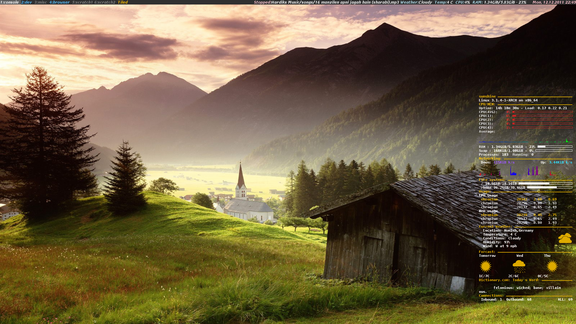
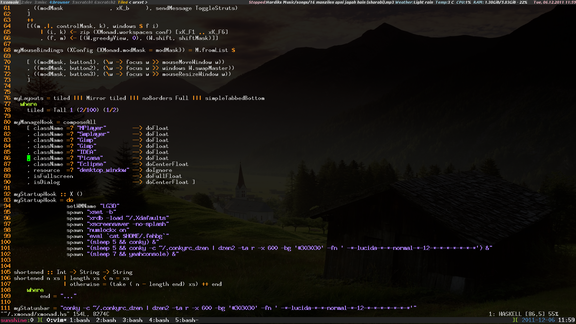
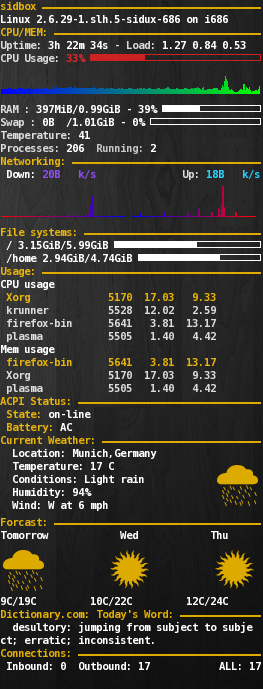
Here are my two sidux desktops running openbox with conky, adesklets, tint2, visibility, trayer, urxvt etc..
Here are the links to my openbox, tint2 and visibility configuration files.
| Main config file: | ~/.config/openbox/rc.xml |
| Startup file: | ~/.config/openbox/autostart.sh |
| Menu file: | ~/.config/openbox/menu.xml |
| Tint2 config: | ~/.config/tint2/tint2rc |
| visibility config: | ~/.config/visibility/config |
Eclipse: Timeout configuration of server (jboss)
I configured JBOSS 5 Application Server with Eclipse 3.4. The configuration was successful. When I tried to start it though, the start up failed with the error message that it had timed out, the timeout was set to 50 seconds. It is amazing that JBOSS takes more than a minute to start up.
After some searching, I came to know that in Eclipse 3.4 the server timeouts can be configured per individual servers. Opening the server with double clicking in the server view, will list the timeout option and can be set in seconds. Here the screen-shot.

The layout is based on my conky setup described